- I mapped a knob, but now the plugin parameter jumps around when I try to turn it. What went wrong?
These behaviors indicate that an incorrect knob mode was set for that command. The knob mode detected by Mulligan must match the actual mode that your MIDI controller is using to send data from that knob.
Please repeat mapping the command in the Mapping Window, being sure to turn the knob slowly to the left so that Mulligan can detect the correct knob mode.
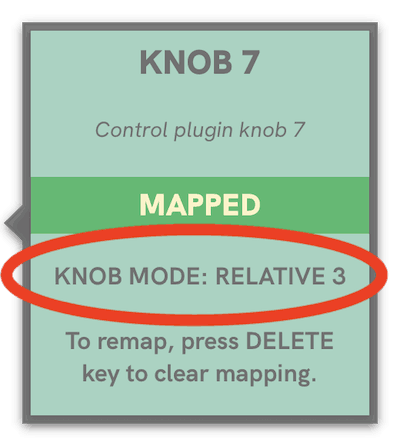
When you click on command, the Mapping Assistant window will show which knob mode was detected for that mapping:
FAQ for Mulligan 2
Don't Forget //
© 2026 reFuse Software, LLC /// ///