
- Can Mulligan 2 work alongside a HUI controller?
Yes! Mulligan 2 needs to be in Pro Tools' Peripherals > MIDI Controllers slot #1 in order to function properly:
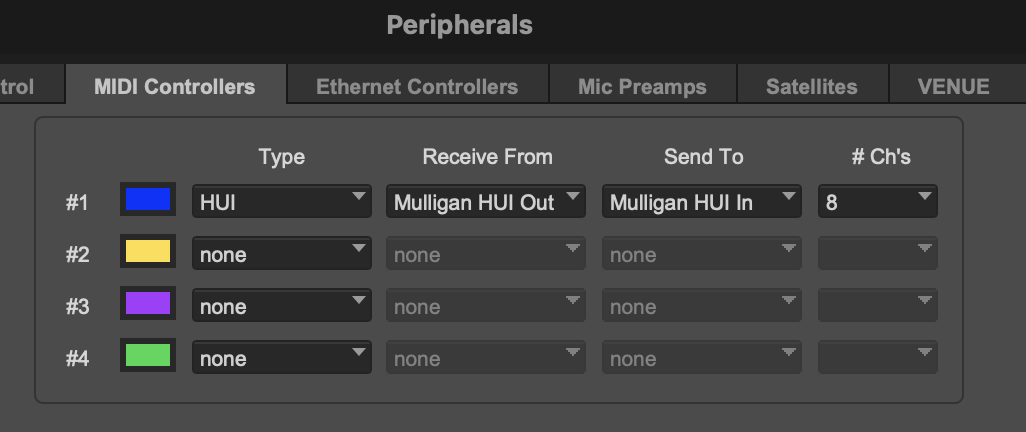
However, Mulligan 2 provides HUI Device Forwarding, which is a bi-directional passthrough that allows it to share slot #1 with hardware HUI controllers.
To enable this feature, in Mulligan select the menu item HUI > HUI Device Forwarding.
Then use the HUI > HUI Device Input and HUI > HUI Device Output menus to select the in and out ports of your HUI hardware. That's all there is to it.
Using this connection method, your Peripherals window will look like the screenshot above. Only Mulligan connects directly to Pro Tools, but your HUI hardware gets routed through Mulligan, and that way it also gets access to slot #1.
FAQ for Mulligan 2
Don't Forget //
© 2026 reFuse Software, LLC /// ///