- What kind of output does Mulligan 2 send to MIDI controllers?
When appropriate, the mapped commands in Mulligan show their status by lighting up the LEDs for a controller’s buttons. For example, the Stop and Play transport buttons light up to show when the transport is stopped or is playing, respectively.
For plugin controls, however, the LED displays work differently. Plugin knobs and buttons will light up (to their max value) to show that they are mapped to a plugin parameter in the current Plugin Map. If a knob or button is not mapped to a plugin parameter, its LEDs will be off.
Knobs and buttons will not change their LED displays when their control value changes (e.g. if a switch parameter is turned from “off” to “on”, or a gain knob changes its position). The LEDs for plugin knobs and buttons only indicate whether or not they are currently mapped to a plugin parameter.
Note: the LED behavior for plugin knobs described above only happens when an encoder is mapped in a Relative knob mode, which is what we highly recommend. When using plugin knobs in Absolute knob mode, no MIDI feedback is sent to them, because this can cause erratic jumping and resetting of their positions.
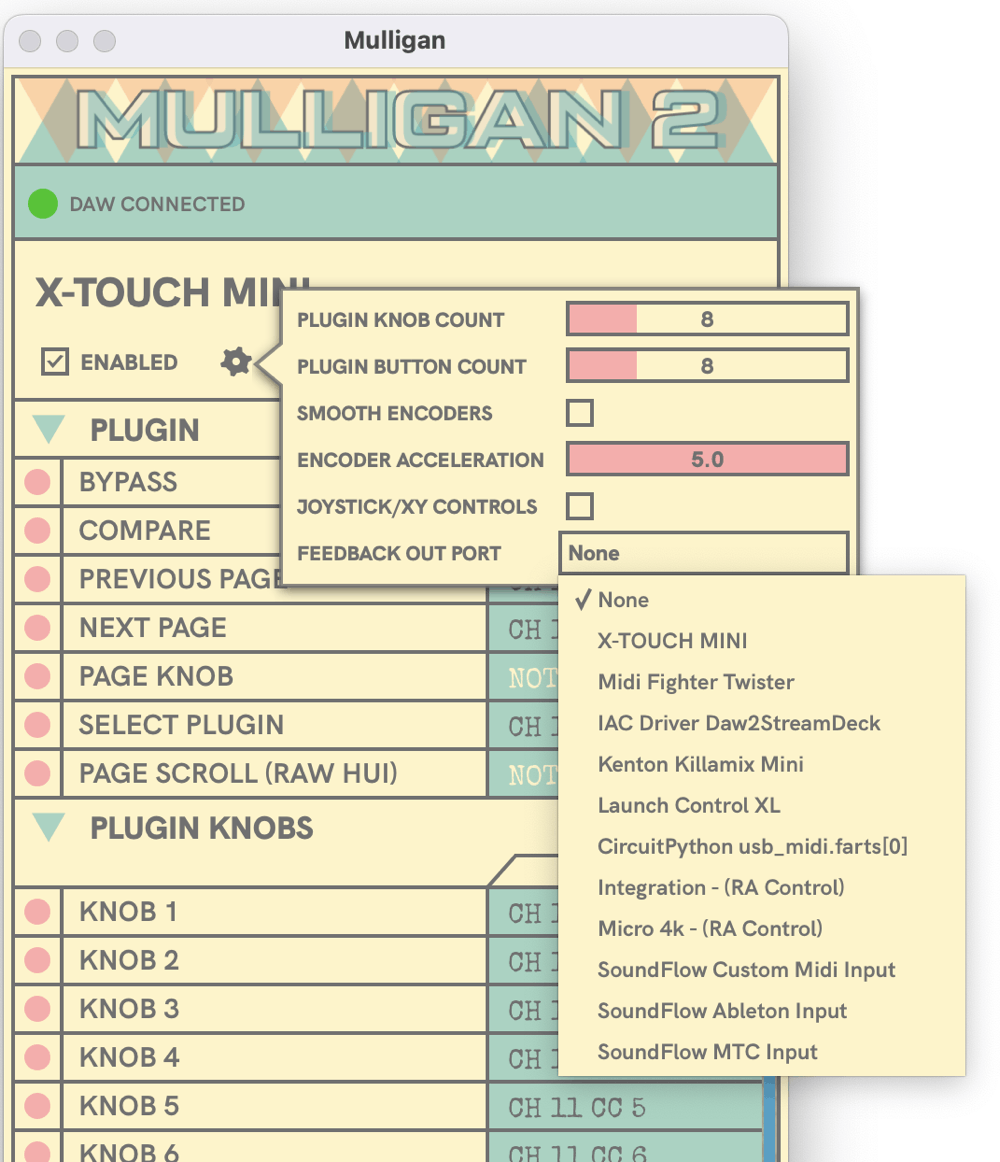
Mulligan 2 attempts to find the correct MIDI port to use to send this feedback to each controller. If it guesses incorrectly, you can open Device Settings (by clicking the gear icon under the controller's name) to change the Feedback Output Port selection. If you would like to turn off the output to a specific controller, you can choose the "None" option from this menu.
FAQ for Mulligan 2
Don't Forget //
© 2026 reFuse Software, LLC /// ///